


Purchasing management integrated with ERP.

Controlled purchasing management, from requisition to invoice.

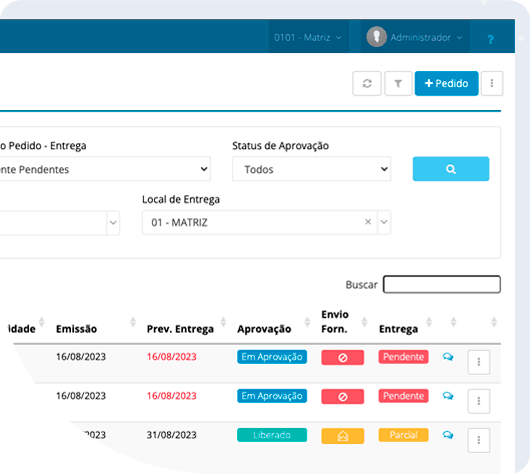
Simplify the routine for requesters, organize quotes and approvals, and track expenses, orders, and invoices in a process connected to your ERP.

Each department participates clearly. Every decision follows company rules. Management oversees purchases from all units.

Play video
Years on the market
+ 22
Active Users
+ 14 K
Active clients
+ 203
Managed Contracts
R$ 1.8 bi

Companies that are part of this story

People, rules and information

Each step is connected.
Each responsibility defined.

GOEVO organizes the acquisition of products and services and connects requesters, buyers,

approvers and suppliers in a common process.

01 – Ease of application

The departments register their needs and monitor the progress of each request.

02 – Control to decide

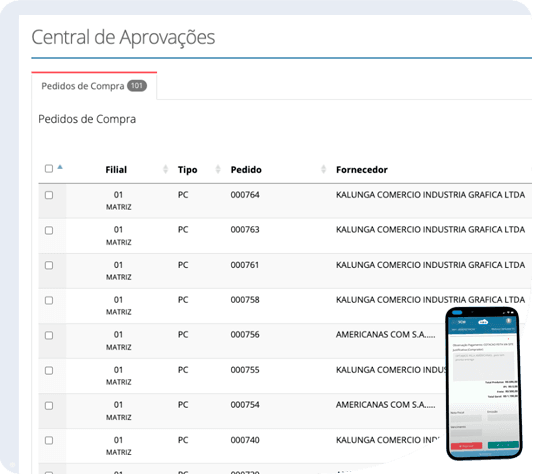
Levels of approval, notices, and process information are provided to those who need to evaluate and approve the process.

03 – Information to buy better

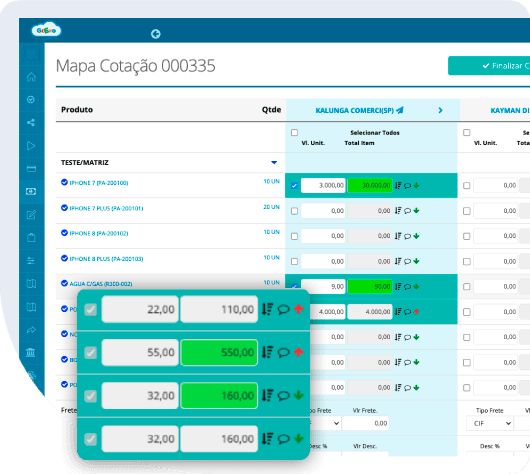
Historical data, proposals, and indicators help in negotiating and understanding company expenses.

The routine of those who participate

A simple experience.
A well-organized process.

Explore how GOEVO connects requests, approvals, and quotes.

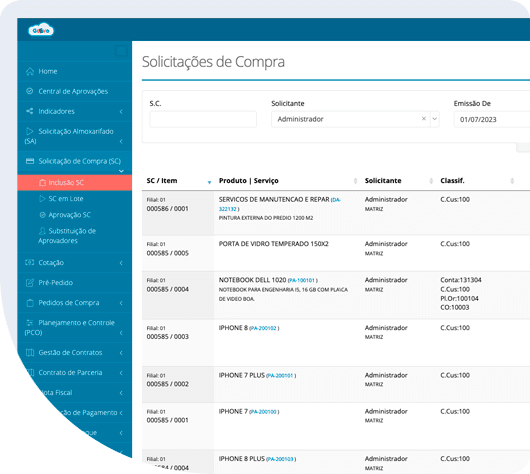
extremely friendly requests

The person who requests the service knows what to do and keeps track of what's happening.

Give departments a simple way to request products and services. The requester registers the need, gathers supporting information, and can track the progress within the process itself.

This visibility reduces status-related demands and helps the purchasing team work with more organized requests.

  • Requests for registered items, recurring items, or new needs.
  • Classifications by cost center, unit, and project.
  • Documents and specifications attached to the application.
  • Check the status of your requests.

Artificial intelligence applied to the operation

Connect the note input.
to purchase order with AI

Use AI to support the recognition of information from product and service invoices and its cross-referencing with purchase orders.

The link between document and order helps organize the review and processing of the incoming data. The responsible departments find the context of the acquisition before proceeding with the process and integrating it with the ERP system.

01 – Supplier sends invoice

Through a link, email, or connection to the tax authority (Sefaz), the document enters a recognition process.

02 – Recognition

Using AI, the document is analyzed, and the supplier, invoice data, products, services, and values are identified.

03 – Invoice vs. Order Verification

Robots automatically verify the information on the invoice against the purchase order, analyzing conditions and values.

Data produced by the operation

Dashboard: Find out where the company is spending.
and where the process can be improved.

Transform purchase records into automatically generated dashboards and indicators.,

with organized information for management.

SPEND – Where are we spending our money?

Through a link, email, or connection to the tax authority (Sefaz), the document enters a recognition process.

Process – Where are we delaying?

Track purchase lead times and the times for each stage available in the indicators. Identify waiting points.

Saving – What result did we obtain?

Consult the savings achieved in the negotiations, along with the calculation criteria and comparison basis used by the company.

Budget integrated with purchases

The budget plays a role in the purchasing decision.

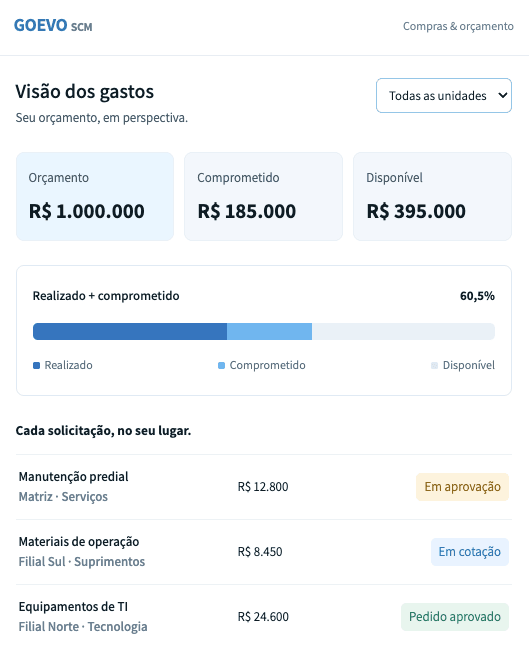
Connect the purchasing process to budget management. Decision-makers can see the budget position of the unit, cost center, or project.

Budgeted, committed, and executed.
Track budgeted, committed, and actual figures by cost center or project. Configure alerts and blocks according to your rules.

Budgeting rules in the process
Configure alerts and blocks according to the company's budget policy and responsibilities.

Connected purchases between units
Standardize requests and broaden the central team's understanding of branch, construction, and project demands.

Delegated Purchases

Autonomy for the areas.
Corporate governance.

Allow areas and units to conduct delegated purchases within their responsibilities and objectives.

Defined limits, without depending on execution by the central purchasing team.

The departments handle the purchases.

The teams conduct the delegated purchases within their areas of responsibility, keeping the information updated throughout the process.

Management monitors

The company maintains visibility over these acquisitions and their associated expenses, along with purchases made by the central team.

Compliance guaranteed

Goevo guarantees defined limits, policy-compliant approvals, audit logs, and visibility of expenses.

From evaluation to commissioning.

Start with a validated process.
Expand with qualified people.

Implementation begins with understanding the operation and progresses with the people who will use the solution.

Understanding and configuring

We mapped units, participants, and objectives. We configured profiles, classifications, workflows, and levels of authority.

Integrate and approve

We connect the projected movements and validate scenarios with the responsible areas.

Prepare the pilot and expand

We prepared the users and monitored the start of operations before rolling them out to other units.

Expand management as needed.

Purchasing can connect to other GOEVO modules. The composition follows the contracted scope.

Contract management

Measurement, consumption and balances.

Budget

Budget and Limits.

Suppliers

Approval and Evaluations.

Stocks

Receiving and Warehouse.

Expense Report

Expenses Connected to Management.

integrations

Integration is part of the project.

Connect your purchasing management to the technological environment your company already uses. Reduce retyping and maintain consistent information across departments and systems.

SAP
OUR VISION

ZERO Rework:

Experience applied to connecting processes.

GOEVO's own APIs

GOEVO can provide APIs for integrating processes for customer consumption.


APIs for your environment

We can consume the API provided by your marketplace system or ERP.

RPA in special cases

In cases where an API is not an option, we can develop RPA (robots) that facilitate integration.

Frequently Asked Questions

Questions about purchasing management

Learn about the terms of use, implementation, and contracting. 

GOEVO can integrate with existing ERP systems. The project defines the role of each system, the data to be exchanged, and the integration rules.

Yes. Approval levels can consider value range, cost center, unit, and other operational criteria. Profiles and responsibilities guide access to information and decisions.

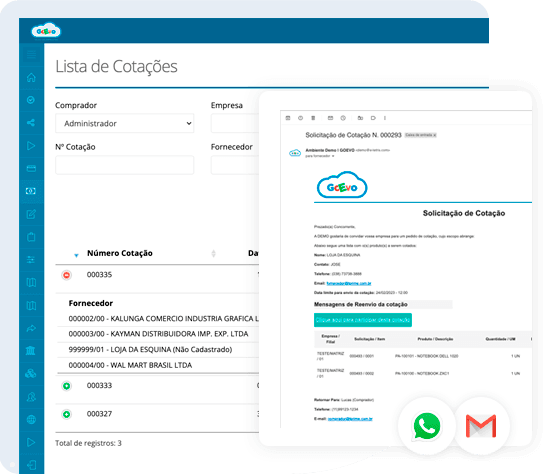
He receives an invitation via email or WhatsApp and responds via a link, without prior registration and at no cost to participate. The required approval process for hiring continues to follow your company's policy.

Purchasing, finance, IT, and requesters participate according to the processes involved. GOEVO handles the planned configuration and integration; the client's areas support the definition of rules, provide access, and validate the scenarios.

The investment is defined according to the scope. The proposal identifies the resources, implementation, integrations, and modules involved. Budget, contracts, inventory, suppliers, and expense reports are considered as needed for the operation.

The timeline depends on workflows, integrations, and team availability. Implementation may begin with a pilot project to validate the process before expanding its use to other units.

You initiate a conversation with the sales team to align context and scheduling. The demo allows you to understand the process and discuss its alignment with your units, approvals, and ERP. Sending the message does not automatically confirm a time.

 
View GOEVO in the context of your company.

Bring your process. Let's talk about how to improve it.

Request a demo and bring your questions about purchases, approvals, and integration.

01 – Learn about the process on the platform.From the request and quote to the order and invoice.

02 – Discuss the rules of your operation.Units, cost centers, levels of authority, and participants.

03 – Understand the next steps.Scope, ERP integration, and implementation.

Purchasing, accounting, and IT can participate depending on your company's questions.


Let's talk about your case?

Fill out the form below and we will contact you to schedule a consultation with a specialist.

By clicking on “Schedule a conversation with a specialist” you agree to our Terms of use It is Privacy Policy